## Description
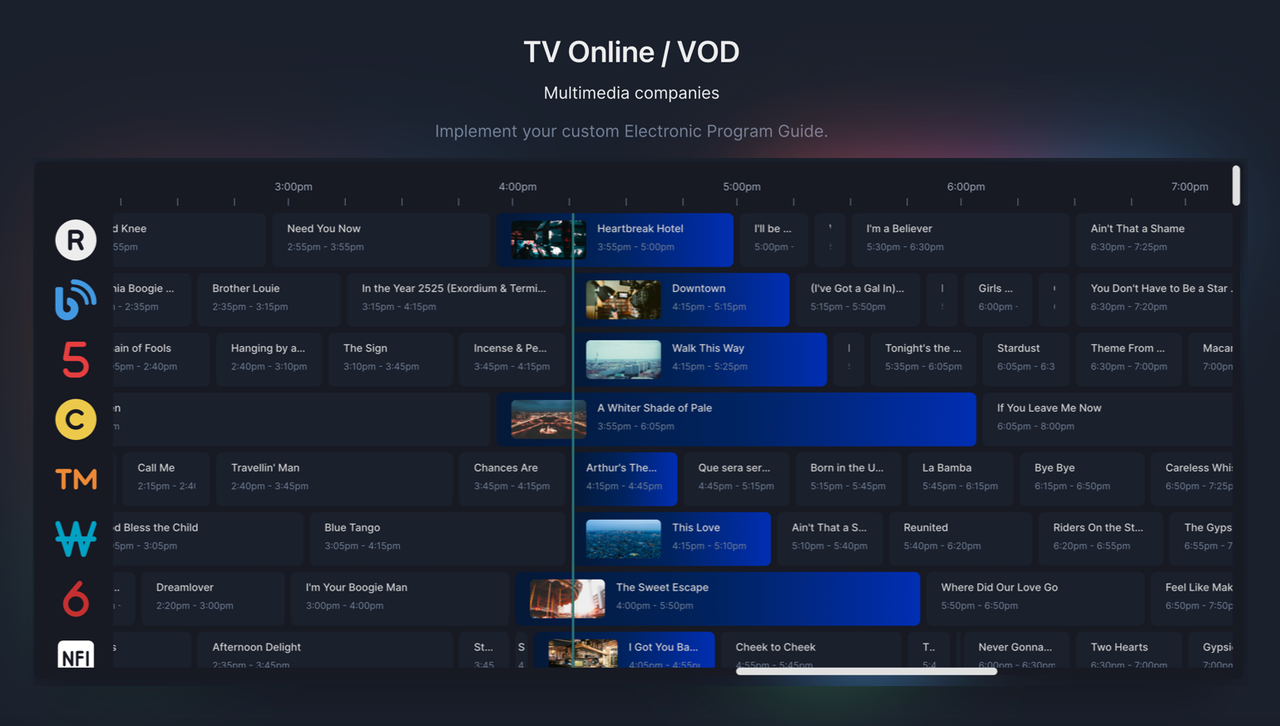
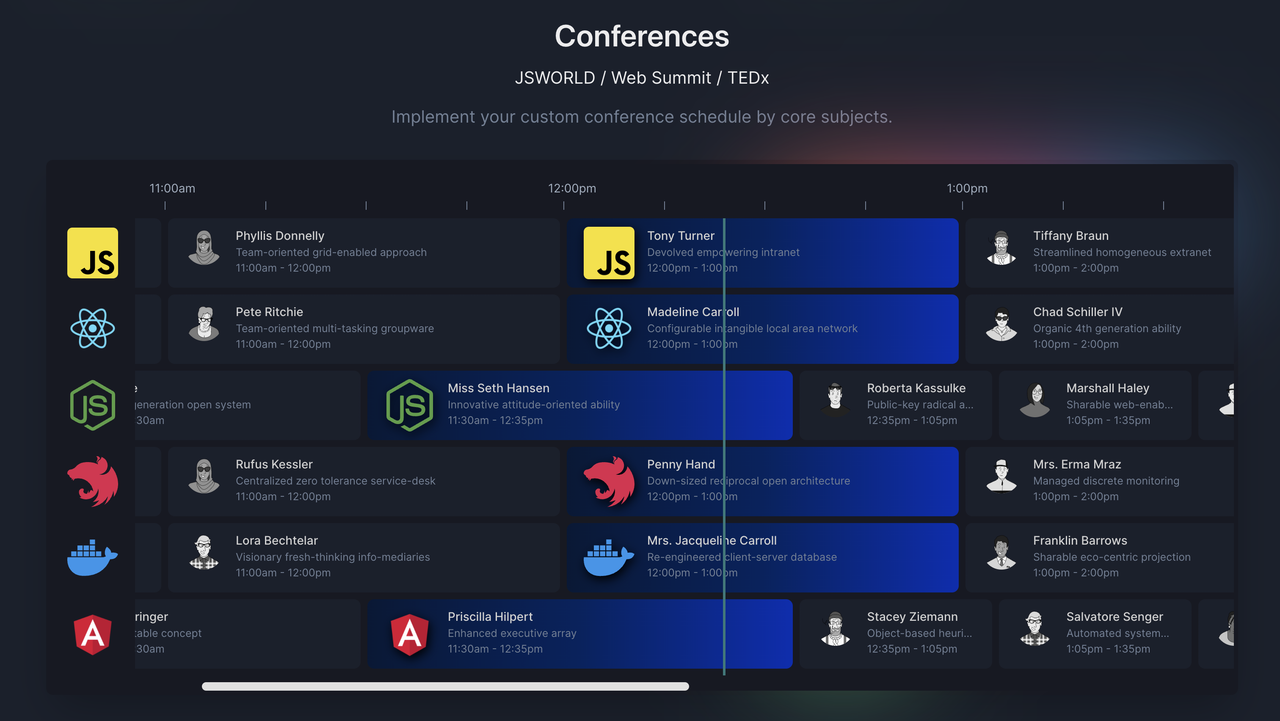
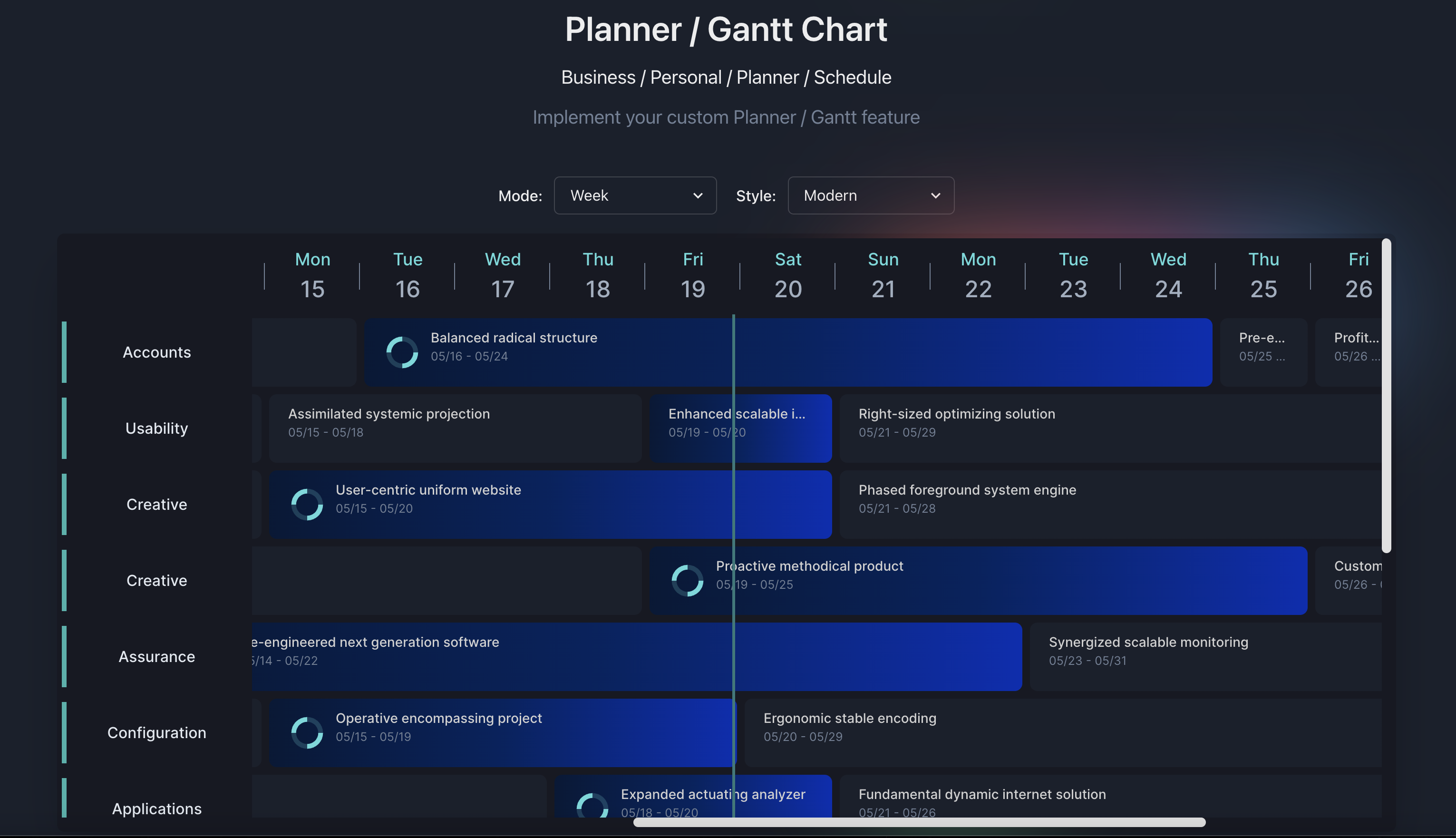
Planby PRO is a React based component for a quick implementation of schedules, timelines, EPG, live streaming, music events and many more ideas. It uses a custom virtual view which allows you to operate on a really big number of data. The component has a simple API that you can easily integrate with other third party UI libraries. The component theme is customized to the needs of the application design.
## Download example
[Download - code examples](https://github.com/Nessprim/planby-pro/tree/main/examples)
## Testimonials
# Getting Started
### Planby PRO version has a number of major updates so please read documentation about eg. render components, theme, styles, Typescript support.
## Option 1
Login to npm registry with the Github account with your username and personal access token (classic) - read:packages.
```sh
npm login --registry=https://npm.pkg.github.com --scope=@nessprim
```
```sh
> Username: USERNAME
> Password: TOKEN
```
In the same directory as your package.json file, create or edit an .npmrc file to include a line specifying GitHub Packages URL
```sh
@nessprim:registry=https://npm.pkg.github.com
```
## Option 2
To your per-user authenticate by adding your personal access token (classic) to your ~/.npmrc file, edit the ~/.npmrc file for your project to include the following line, replacing TOKEN with your personal access token (classic).
```sh
//npm.pkg.github.com/:_authToken=TOKEN
```
In the same directory as your package.json file, create or edit an .npmrc file to include a line specifying GitHub Packages URL
```sh
@nessprim:registry=https://npm.pkg.github.com
```
## Option 3
In the same directory as your package.json file, create or edit an .npmrc file to include a line specifying GitHub Packages URL and your personal access token (classic)
```sh
@nessprim:registry=https://npm.pkg.github.com
//npm.pkg.github.com/:_authToken=TOKEN
```
## Installation
Specify the version which you want to install.
- yarn
```sh
yarn add @nessprim/planby-pro
```
- npm
```sh
npm install @nessprim/planby-pro
```
## Usage
```tsx
import { useEpg, Epg, Layout } from '@nessprim/planby-pro';
const channels = React.useMemo(
() => [
{
logo: 'https://via.placeholder.com',
uuid: '10339a4b-7c48-40ab-abad-f3bcaf95d9fa',
...
},
],
[]
);
const epg = React.useMemo(
() => [
{
channelUuid: '30f5ff1c-1346-480a-8047-a999dd908c1e',
description:
'Ut anim nisi consequat minim deserunt...',
id: 'b67ccaa3-3dd2-4121-8256-33dbddc7f0e6',
image: 'https://via.placeholder.com',
since: "2022-02-02T23:50:00",
till: "2022-02-02T00:55:00",
title: 'Title',
...
},
],
[]
);
const {
getEpgProps,
getLayoutProps,
onScrollToNow,
onScrollLeft,
onScrollRight,
} = useEpg({
epg,
channels,
startDate: '2022/02/02', // or 2022-02-02T00:00:00
});
return (
);
```
or
#### Custom width and height
```tsx
const {
getEpgProps,
getLayoutProps,
...
} = useEpg({
epg,
channels,
startDate: '2022/02/02', // or 2022-02-02T00:00:00
width: 1200,
height: 600
});
return (
```
or
#### Time range
```tsx
const {
getEpgProps,
getLayoutProps,
...
} = useEpg({
epg,
channels,
startDate: '2022-02-02T10:00:00',
endDate: '2022-02-02T20:00:00',
width: 1200,
height: 600
});
return (
```
#### Week mode
```tsx
const epg = React.useMemo(
() => [
{
channelUuid: '30f5ff1c-1346-480a-8047-a999dd908c1e',
description:
'Ut anim nisi consequat minim deserunt...',
id: 'b67ccaa3-3dd2-4121-8256-33dbddc7f0e6',
image: 'https://via.placeholder.com',
since: "2023-05-01T00:00:00",
till: "2023-05-03T24:00:00",
title: 'Title',
...
},
],
[]
);
const {
getEpgProps,
getLayoutProps,
...
} = useEpg({
epg,
channels,
startDate: '2023-05-01T00:00:00', // Required day with time 00:00:00
endDate: '2023-05-25T00:00:00', // Required day with time 00:00:00
mode: {type: 'week', style: 'modern'}
...
});
...
```
#### Month mode
```tsx
const epg = React.useMemo(
() => [
{
channelUuid: '30f5ff1c-1346-480a-8047-a999dd908c1e',
description:
'Ut anim nisi consequat minim deserunt...',
id: 'b67ccaa3-3dd2-4121-8256-33dbddc7f0e6',
image: 'https://via.placeholder.com',
since: "2023-05-01T00:00:00",
till: "2023-08-31T24:00:00",
title: 'Title',
...
},
],
[]
);
const {
getEpgProps,
getLayoutProps,
...
} = useEpg({
epg,
channels,
startDate: '2023-05-01T00:00:00', // First day of the month with required time 00:00:00
endDate: '2023-11-30T00:00:00', // Last day of the month with required time 00:00:00
mode: {type: 'month', style: 'modern'}
...
});
...
```
# API
### useEpg
#### Options
Available options in useEpg
| Property | Type | Status | Description | Access |
| ------------------------ | --------- | -------- | ------------------------------------------------------------------------------------------------------------------------------------------------------------------------------------------------------------------------------------------ | ------ |
| `channels` | `array` | required | Array with channels data | |
| `epg` | `array` | required | Array with EPG data | |
| `width` | `number` | optional | EPG width | |
| `height` | `number` | optional | EPG height | |
| `sidebarWidth` | `number` | optional | Width of the sidebar with channels | |
| `timelineHeight` | `number` | optional | Height of the timeline | `PRO` |
| `itemHeight` | `number` | optional | Height of channels and programs in the EPG. Default value is 80 | |
| `dayWidth` | `number` | optional | Width of the day. Default value is 7200. Calculation to set up day width with own hour width value e.g., 24h \* 300px (your custom hour width) = 7200px -> `dayWidth` | |
| `startDate` | `string` | optional | Date format `2022/02/02` or `2022-02-02T00:00:00`. You can set your own start time, e.g., `2022-02-02T10:00:00`, `2022-02-02T14:00:00`, etc. Full clock hours only | |
| `endDate` | `string` | optional | Date format `2022-02-02T00:00:00`, `2022-02-02T20:00:00`, etc. Must be within the same 24-hour period as `startDate`. Full clock hours only. Scroll through `multiple days` and timeline mode is available only in `PRO` plan. | `PRO` |
| `timelineDividers` | `number` | optional | Set own dividers to Timeline and Grid bg. Default value is `4`. | `PRO` |
| `hoursInDays` | `array` | optional | Set start time and end time of each day in `multiple days` feature if your data for each day has some time spaces between items in the day. [Read more](#hours-in-days) | `PRO` |
| `initialScrollPositions` | `object` | optional | Set initial scroll position in Layout, e.g., `initialScrollPositions: { top: 500, left: 800 }` | `PRO` |
| `liveRefreshTime` | `number` | optional | Live refresh time of the events. Default value is 120 sec. | `PRO` |
| `isBaseTimeFormat` | `boolean` | optional | Convert to 12-hour format, e.g., `2:00am`, `4:00pm`, etc. Default value is false. | |
| `isCurrentTime` | `boolean` | optional | Show current time in Timeline. Default value is false. | `PRO` |
| `isInitialScrollToNow` | `boolean` | optional | Scroll to the current live element. | `PRO` |
| `isVerticalMode` | `boolean` | optional | Show Timeline in vertical view. Default value is false. | `PRO` |
| `isResize` | `boolean` | optional | Possibility to resize the element. | `PRO` |
| `isSidebar` | `boolean` | optional | Show/hide sidebar | |
| `isTimeline` | `boolean` | optional | Show/hide timeline | |
| `isLine` | `boolean` | optional | Show/hide line | |
| `isRTL` | `boolean` | optional | Change direction to RTL or LTR. Default value is false. | `PRO` |
| `theme` | `object` | optional | Object with theme schema [Read more](#theme) | |
| `timezone` | `object` | optional | Convert and display data from UTC format to your own time zone [Read more](#timezone) | `PRO` |
| `areas` | `array` | optional | Area gives possibilities to add field ranges to the Timeline layout. [Read more](#areas) | `PRO` |
| `mode` | `object` | optional | Type values: `day/week/month`. Style values: `default/modern` Define the mode and style of the timeline. Default mode is `day` and style is `default` [Read more](#week-and-month-mode) | `PRO` |
| `overlap` | `object` | optional | Enable the element overlaps in the layout. Mode values: `stack/layer`, layerOverlapLevel: `number` [Read more](#overlaps) | `PRO` |
| `dnd - drag and drop` | `object` | optional | Drag and move the element in the layout. Mode values: `row/multi-rows` [Read more](#drag-and-drop) | `PRO` |
| `snap - dnd snapping` | `object` | optional | Activate the snap option to facilitate Drag and Drop (DnD) or resize operations, ensuring alignment with specified snap values. Example value: `snap:{x: 50, y: 75}` | `PRO` |
| `grid layout` | `object` | optional | Background grid on the layout. Mode hoverHighlight values: `true/false`, `onGridItemClick`: function with all the properties on clicked item grid, `onGridItemDrop`: function with all the properties on drop item grid [Read more](#grid) | `PRO` |
| `channelMapKey` | `string` | optional | The Channel `uuid` attribute can be controlled by prop. Key map gives a possibilities to use specific prop from own data instead of needing to map to uuid in own data | `PRO` |
| `programChannelMapKey` | `string` | optional | The Programs `channelUuid` attributes can be controlled by prop. Key map gives a possibilities to use a specific prop from own data instead of needing to map to channelUuid in your data | `PRO` |
| `globalStyles` | `string` | optional | Inject custom global styles and font. Font weight: 400,500,600. Default font is "Inter" | `PRO` |
## Note about width and height props
Without declaring the `width` and `length` properties, the component takes the dimensions of the parent element.
## Timezone
Convert and display data from UTC format to your own time zone
#### Timezone schema
| Property | Type | Status | Values |
| --------- | --------- | -------- | ------------------------------------------------------------------------------------------------------------- |
| `enabled` | `boolean` | required |
| `mode` | `string` | required | `utc` |
| `zone` | `string` | required | Specify your timezone eg. `Europe/Paris`, `America/New_York`. Please make user your timezone value is correct |
## Areas
Areas fields gives possibilities to add info ranges to the Timeline layout.
#### Area schema
| Property | Type | Status |
| ------------- | --------------- | -------- |
| `startDate` | `string` | required |
| `endDate` | `string` | optional |
| `styles` | `CSSProperties` | required |
| `onClick` | `function` | optional |
| `annotations` | `object` | optional |
#### Annotations schema
| Property | Type | Status |
| ----------- | --------------- | -------- |
| `textStart` | `string` | optional |
| `textEnd` | `string` | optional |
| `styles` | `CSSProperties` | required |
Example:
```tsx
[
{
startDate: '2023-05-05T00:00:00',
endDate: '2023-05-08T00:00:00',
styles: {
background: '#00800012',
borderLeft: '2px dotted #38A169',
borderRight: '2px dotted #38A169',
},
onClick: () => alert('Click on area'),
annotations: {
styles: {
background: '#38A169',
color: 'white',
},
textStart: 'Testing Start',
textEnd: 'Testing End',
},
},
{
startDate: '2023-05-14T00:00:00',
endDate: '2023-05-17T00:00:00',
styles: {
borderLeft: '2px dotted #D69E2E',
borderRight: '2px dotted #D69E2E',
},
annotations: {
styles: {
background: '#D69E2E',
color: 'white',
},
textStart: 'Testing2 Start',
textEnd: 'Testing2 End',
},
},
{
startDate: '2023-05-11T00:00:00',
styles: {
borderLeft: '2px dotted #C53030',
},
annotations: {
styles: {
background: '#C53030',
color: 'white',
},
textStart: 'Release',
},
},
];
```
## Week and Month mode
#### Mode schema
| Property | Type | Status | Values |
| -------- | -------- | -------- | ---------------- |
| `type` | `string` | optional | `day/week/month` |
| `style` | `string` | optional | `default/modern` |
#### Month mode
| Property | Description |
| ----------- | ---------------------------------------------------------------------------------------------------------- |
| `startDate` | You have to set the first day of the month with start time of the day `00:00:00` eg. `2023-05-01T00:00:00` |
| `endDate` | You have to set the last day of the month with start time of the day `00:00:00` eg.`2023-11-30T00:00:00` |
#### Week mode
| Property | Description |
| ----------- | ---------------------------------------------------------------------------------------------------------- |
| `startDate` | You have to set the first day of the month with start time of the day `00:00:00` eg. `2023-05-01T00:00:00` |
| `endDate` | You have to set the first day of the month with start time of the day `00:00:00` eg.`2023-05-20T00:00:00` |
#### Week / Month EPG Item
| Property | Description |
| -------- | ------------------------------------------------------------------------------ |
| `since` | You have to set the start time of the day `00:00:00` eg. `2023-05-01T00:00:00` |
| `till` | You have to set the end time of the day `24:00:00` eg. `2023-05-09T24:00:00` |
## Overlaps
Enable the element overlaps in the layout
#### Mode schema
| Property | Type | Description | Status |
| ------------------- | --------- | -------------------------------------------------- | ------------------------- |
| `enabled` | `boolean` | | required |
| `mode` | `string` | required | values: `stack` / `layer` |
| `layerOverlapLevel` | `number` | The percentage of elements layer on top each other | required |
## Drag and Drop
Enable the element overlaps in the layout
#### DnD schema
| Property | Type | Description | Status |
| -------------- | ---------- | ------------------------------------------------------------------------------------------------------------------------------------------------------------------------------------- | ---------------------------- |
| `enabled` | `boolean` | | required |
| `mode` | `string` | required | values: `row` / `multi-rows` |
| `onDnDMouseUp` | `function` | Callback function with custom logic to check if new since/till time meets custom requirements | optional |
| `onDnDSuccess` | `function` | Callback function to add custom logic when drag event is successful. Return `true` value is custom logic is correct or 'false' value to restor initial element position in the layout | optional |
```tsx
const { getEpgProps, getLayoutProps } = useEpg({
startDate: '2023-05-02T00:00:00',
endDate: '2023-05-05T24:00:00',
dnd: {
enabled: true,
mode: 'multi-rows',
onDnDMouseUp: async event => {
// Event object contains new since and till values of the dragged program
// event = { id, since, till }
console.log('event');
return true; // true or false
},
onDnDSuccess: event => {
// event = { channelUuid, id, index, title, description, since, till, image, channelIndex, channelPosition }
console.log('event'),
}
},
});
```
## Grid
Background grid on the layout with functionality to click on the grid item
#### OnClick event props schema
| Property | Type |
| ------------- | -------- |
| `since` | `string` |
| `till` | `string` |
| `date` | `string` |
| `channelUuid` | `string` |
#### onGridItemDrop event props schema
| Property | Type |
| ------------- | -------- |
| `since` | `string` |
| `till` | `string` |
| `date` | `string` |
| `channelUuid` | `string` |
And other props pass to the dragged element
## Hours in Days
Set start time and end time of each day in multiple days feature if you data for each day has some time spaces between items in the day. You can set your own startDate and endDate time eg. `2023-05-02T00:00:00`, `2023-05-05T24:00:00` with start time `00:00:00` and end time eg.`24:00:00`
#### Mode schema
| Property | Type | Status |
| --------------- | -------- | -------- |
| `date` | `string` | required |
| `startTimeHour` | `string` | required |
| `endTimeHour` | `string` | required |
Example:
```tsx
const { getEpgProps, getLayoutProps } = useEpg({
startDate:"2023-05-02T00:00:00",
endDate:"2023-05-05T24:00:00",
...
});
const hoursInDays = [
{
date: '2023-05-02',
startTimeHour: '2023-05-02T09:00:00',
endTimeHour: '2023-05-02T16:00:00',
},
{
date: '2023-05-03',
startTimeHour: '2023-05-03T09:00:00',
endTimeHour: '2023-05-03T13:00:00',
},
{
date: '2023-05-04',
startTimeHour: '2023-05-04T09:00:00',
endTimeHour: '2023-05-04T17:00:00',
},
{
date: '2023-05-05',
startTimeHour: '2023-05-05T09:00:00',
endTimeHour: '2023-05-05T15:00:00',
},
];
```
### globalStyles
Inject own custom font and other global styles.
```tsx
const globalStyles = `
@import url("https://fonts.googleapis.com/css2?family=Inter:wght@400;500;600&display=swap");
/* Available in sponsors plan */
.planby {
font-family: "Inter", system-ui, -apple-system, "Segoe UI", Roboto, Helvetica,
Arial, sans-serif, "Apple Color Emoji", "Segoe UI Emoji";
/* Layout */
.planby-layout {}
.planby-corner-box {}
/* Line */
.planby-line {}
/* Current time */
.planby-current-time {}
.planby-current-content {}
/* Channels */
.planby-channels {}
/* Channel */
.planby-channel {}
/* Program */
.planby-program {}
.planby-program-content {}
.planby-program-flex {}
.planby-program-stack {}
.planby-program-title {}
.planby-program-text {}
/* Timeline */
.planby-timeline-wrapper {}
.planby-timeline-box {}
.planby-timeline-time {}
.planby-timeline-dividers {}
.planby-timeline-wrapper {}
}
`;
```
#### Instance Properties
Properties returned from useEpg
| Property | Type | Description | Access |
| ----------------- | ------------------------- | ------------------------------------------------------------------------------------------------------------------------- | ------ |
| `scrollY` | `number` | Current scroll y value |
| `scrollX` | `number` | Current scroll x value |
| `onScrollLeft` | `function(value: number)` | Default value is 300 |
| `onScrollRight` | `function(value: number)` | Default value is 300 |
| `onScrollToNow` | `function()` | Scroll to current time/live programs |
| `onScrollTop` | `function(value: number)` | Default value is 300 |
| `getLayoutData` | `function()` | Generate and get all the layout data | `PRO` |
| `getDropItemData` | `function()` | Get converted item data after external drop into grid action | `PRO` |
| `isLayoutBottom` | `function(offset:number)` | Check if the layout has reached the bottom. Add an offset value to perform various actions before reaching the bottom. | `PRO` |
| `isLayoutRight` | `function(offset:number)` | Check if the layout has reached the right side. Add an offset value to perform various actions before reaching the right. | `PRO` |
### Channel schema
You can add other properties that you wish to have according to your specific requirements or functionalities you want to implement.
| Property | Type | Status | Description | Access |
| ------------------- | --------- | -------- | ---------------------------------------------------------------------------------------------------------------------- | ------ |
| `logo` | `string` | required | | |
| `uuid` | `string` | required | | |
| `title` | `string` | optional | | |
| `groupTree` | `boolean` | optional | Set to true if the channel is the first main top channel in a group, used to display the channel group name in sidebar | `PRO` |
| `parentChannelUuid` | `string` | optional | Set for nested children. Required when main channel has `groupTree` set to `true` | `PRO` |
| `isOpen` | `boolean` | optional | Used to open the channel group in the sidebar | `PRO` |
### Epg schema
You can add other properties that you wish to have according to your specific requirements or functionalities you want to implement.
| Property | Type | Status | Description | Access |
| ----------------- | --------- | -------- | -------------------------------------------------------------------- | ------ |
| `channelUuid` | `string` | required |
| `id` | `string` | required |
| `image` | `string` | required |
| `since` | `string` | required |
| `till` | `string` | required |
| `title` | `string` | required |
| `fixedVisibility` | `boolean` | optional | The element is always visible in the layout during the scroll events | `PRO` |
### Epg
#### Base props
Available props in Epg
| Property | Type | Description | Status | Access |
| ----------- | ----------- | ----------------------- | -------- | ------ |
| `isLoading` | `boolean` | Loader state | optional |
| `loader` | `Component` | Loader custom component | optional | `PRO` |
### Layout
#### Base props
Available props in Layout.
| Property | Type | Description | Status | Access |
| ------------------- | ------------------------------------------------------------------------------------- | --------------------------------------------------------------------------------------------------------------- | -------- | ------ |
| `renderProgram` | `function({ program: { data: object, position: object})` | `data` object contains all properties related to the program, `position` object includes all position styles | optional |
| `renderChannel` | `function({ channel: { ..., position: object})` | `channel` object contains all properties related to the channel, `position` object includes all position styles | optional |
| `renderTimeline` | `function({sidebarWidth: number})` | `sidebarWidth` value of the channel's sidebar width | optional |
| `renderGridCell` | `function(object)` | render custom Grid Cell element in Layout grid | `PRO` |
| `renderLine` | `function({styles: object})` | basic `styles` and `position` values for the custom live tracking Line | optional | `PRO` |
| `renderCurrentTime` | `function({styles: object, isRTL: boolean, isBaseTimeFormat: boolean, time: string})` | basic `styles` values for the custom current time | optional | `PRO` |
| `onLayoutBgClick` | `function()` | Possibility to click on Layout background to trigger some custom events | optional | `PRO` |
# Render functions
You can use Planby's style components to develop main features. Moreover, you can integrate with third party UI library eg. Chakra UI, Material UI etc or make custom styles.
## renderProgram
Below is an example that allows you to render your custom Program component using Plaby's style components.
```tsx
import {
useEpg,
Epg,
Layout,
ProgramBox,
ProgramContent,
ProgramFlex,
ProgramStack,
ProgramTitle,
ProgramText,
ProgramImage,
useProgram,
Program,
ProgramItem
} from "planby";
const Item = ({program,...rest }: ProgramItem) => {
const { styles, formatTime, isLive, isMinWidth } = useProgram({program,...rest });
const { data } = program;
const { image, title, since, till } = data;
const sinceTime = formatTime(since);
const tillTime = formatTime(till);
return (
{isLive && isMinWidth && }
{title}
{sinceTime} - {tillTime}
);
};
function App() {
...
const {
getEpgProps,
getLayoutProps,
} = useEpg({
epg,
channels,
startDate: '2022/02/02', // or 2022-02-02T00:00:00
});
return (
);
}
export default App;
```
## renderProgram - Vertical Mode
Below is an example that allows you to render your custom Program component using Planby's style components with Vertical mode.
```tsx
const Item = ({isVerticalMode, program,...rest }: ProgramItem) => {
const { styles, formatTime, isLive, isMinWidth } = useProgram({isVerticalMode, program,...rest });
...
return (
{isLive && isMinWidth && }
{title}
{sinceTime} - {tillTime}
);
};
```
## renderProgram - 12 hours time format
Below is an example that allows you to render your custom Program component with 12 hours time format using Planby's style components.
```tsx
...
const Item = ({ program, ...rest }: ProgramItem) => {
const {
styles,
formatTime,
set12HoursTimeFormat,
isLive,
isMinWidth,
} = useProgram({
program,
...rest
});
const { data } = program;
const { image, title, since, till } = data;
const sinceTime = formatTime(since, set12HoursTimeFormat()).toLowerCase();
const tillTime = formatTime(till, set12HoursTimeFormat()).toLowerCase();
return (
{isLive && isMinWidth && }
{title}
{sinceTime} - {tillTime}
);
};
function App() {
...
const {
getEpgProps,
getLayoutProps,
} = useEpg({
epg,
channels,
isBaseTimeFormat: true,
startDate: '2022/02/02', // or 2022-02-02T00:00:00
});
...
}
export default App;
```
## renderProgram - RTL direction
Below is an example that allows you to render your custom Program component with RTL direction using Planby's style components.
```tsx
...
const Item = ({ program, ...rest }: ProgramItem) => {
const {
isRTL,
isLive,
isMinWidth,
formatTime,
styles,
set12HoursTimeFormat,
getRTLSinceTime,
getRTLTillTime,
} = useProgram({
program,
...rest
});
const { data } = program;
const { image, title, since, till } = data;
const sinceTime = formatTime(
getRTLSinceTime(since),
set12HoursTimeFormat()
).toLowerCase();
const tillTime = formatTime(
getRTLTillTime(till),
set12HoursTimeFormat()
).toLowerCase();
return (
{isLive && isMinWidth && }
{title}
{sinceTime} - {tillTime}
);
};
function App() {
...
const {
getEpgProps,
getLayoutProps,
} = useEpg({
epg,
channels,
isBaseTimeFormat: true,
startDate: '2022/02/02', // or 2022-02-02T00:00:00
});
...
}
export default App;
```
## renderGridCell
Below is an example that allows you to render your custom GridCell component using Planby's style components.
```tsx
...
import { GridCell, GridItem, GridDivider } from "@nessprim/planby-pro";
export function ItemGrid(props: GridCell) {
const {
isDayMode,
isHoverHighlight,
item,
timelineDividers,
timelineDividerArray,
gridDividerProps,
gridItemClickProps,
} = props;
const { onItemClick, ...dividerProps } = gridDividerProps.props;
const { left, ...styles } = gridDividerProps.styles;
return (
{isDayMode &&
timelineDividerArray.map((_, index) => (
))}
);
}
```
## renderChannel
Below is an example that allows you to render your custom Channel component using Planby's style components.
Available props in ChannelItem
| Property | Type | Description | Status |
| ---------------- | --------- | ------------------------------------------------ | -------- |
| `isVerticalMode` | `boolean` | Vertical mode | optional |
| `isRTL` | `boolean` | RTL option mode | optional |
| `channel` | `object` | Object contains position styles and url for logo | optional |
```tsx
import {
useEpg,
Epg,
Layout,
ChannelBox,
ChannelLogo,
Channel,
ChannelItem,
} from '@nessprim/planby-pro';
const CustomChannelItem = ({ channel }: ChannelItem) => {
const { position, logo } = channel;
return (
console.log('channel', channel)}
src={logo}
alt="Logo"
/>
);
};
function App() {
...
const {
getEpgProps,
getLayoutProps,
} = useEpg({
epg,
channels,
startDate: '2022/02/02', // or 2022-02-02T00:00:00
});
return (
);
}
```
## renderChannel - Vertical Mode
Below is an example that allows you to render your custom Channel component using Planby's style components with Vertical mode.
```tsx
import {
useEpg,
Epg,
Layout,
ChannelBox,
ChannelLogo,
Channel,
ChannelItem,
} from '@nessprim/planby-pro';
const CustomChannelItem = ({ isVerticalMode, channel }: ChannelItem) => {
const { position, logo } = channel;
return (
console.log('channel', channel)}
src={logo}
alt="Logo"
/>
);
};
```
## renderTimeline
Below is an example that allows you to render your custom Timeline component using Planby's style components.
```tsx
import {
CurrentTime,
Timeline,
TimelineWrapper,
TimelineBox,
TimelineTime,
TimelineDivider,
TimelineDividers,
useTimeline,
} from '@nessprim/planby-pro';
export function CustomTimeline(props: Timeline) {
const { time, dividers,timelineHeight, getTime, getTimelineProps, getCurrentTimeProps } =
useTimeline(props);
const {
isToday,
isBaseTimeFormat,
isCurrentTime,
isTimelineVisible,
isVerticalMode,
} = props;
const { hourWidth } = props;
const renderTime = (item: string | number, index: number) => {
const { isNewDay, time } = getTime(item);
const position = { left: hourWidth * index, width: hourWidth };
const isVisible = isTimelineVisible(position);
if (!isVisible) return null;
return (
{time}
{renderDividers(isNewDay)}
);
};
const renderDividers = (isNewDay: boolean) =>
dividers.map((_, index) => (
));
return (
{isToday && isCurrentTime && }
{time.map((item, index) => renderTime(item, index))}
);
}
function App() {
...
const {
getEpgProps,
getLayoutProps,
} = useEpg({
epg,
channels,
startDate: '2022/02/02', // or 2022-02-02T00:00:00
});
return (
);
}
export default App;
```
## renderTimeline - Different hours in multiple days
```tsx
import {
CurrentTime,
Timeline,
TimelineWrapper,
TimelineBox,
TimelineTime,
TimelineDivider,
TimelineDividers,
useTimeline,
} from '@nessprim/planby-pro';
export function CustomTimeline(props: Timeline) {
const { isTodayInHoursInDays, areHoursInDays, time, ...rest } =
useTimeline(props);
const { timelineHeight, } = rest;
const {
getTime, getTimelineProps, getCurrentTimeProps
} = rest;
const {
isToday,
isBaseTimeFormat,
isCurrentTime,
isTimelineVisible,
isVerticalMode,
} = props;
const { hourWidth } = props;
const renderTime = (item: string | number, index: number) => {
const { isNewDay, time } = getTime(item);
const position = { left: hourWidth * index, width: hourWidth };
const isVisible = isTimelineVisible(position);
if (!isVisible) return null;
return (
{time}
{renderDividers(isNewDay)}
);
};
...
```
## renderTimeline - RTL direction
Below is an example that allows you to render your custom Timeline component using Planby's style components.
```tsx
import {
CurrentTime,
Timeline,
TimelineWrapper,
TimelineBox,
TimelineTime,
TimelineDivider,
TimelineDividers,
useTimeline,
} from '@nessprim/planby-pro';
export function CustomTimeline(props: Timeline) {
const { time, dividers, getTime, getTimelineProps, getCurrentTimeProps } =
useTimeline(props);
const {
isToday,
isBaseTimeFormat,
isCurrentTime,
isRTL,
isTimelineVisible,
isVerticalMode,
} = props;
const { hourWidth } = props;
const renderTime = (item: string | number, index: number) => {
const { isNewDay, time } = getTime(item);
const position = { left: hourWidth * index, width: hourWidth };
const isVisible = isTimelineVisible(position);
if (!isVisible) return null;
return (
{time}
{renderDividers(isNewDay)}
);
};
...
}
```
## renderTimeline - Week or Month mode
Below is an example that allows you to render your custom Timeline component using Planby's style components.
```tsx
import {
CurrentTime,
Timeline,
TimelineWrapper,
TimelineBox,
TimelineWeekMonthBox,
TimelineWeekMonthDate,
TimelineTime,
TimelineDivider,
TimelineDividers,
useTimeline,
} from '@nessprim/planby-pro';
export function CustomTimeline(props: Timeline) {
const { isWeekMonthMode, isMonthMode, time, ...rest } = useTimeline(props);
const { timelineHeight, weekDayWidth, monthsWidth, dividers } = rest;
const {
formatWeekMonthDate,
getTime,
getDayMonthName,
getTimelineProps,
getCurrentTimeProps,
} = rest;
const {
isToday,
isBaseTimeFormat,
isCurrentTime,
isRTL,
isTimelineVisible,
isVerticalMode,
} = props;
const { mode } = props;
const { hourWidth } = props;
const renderWeekMonth = (item: string, index: number) => {
const width = isMonthMode ? monthsWidth[index].width : weekDayWidth;
const left = isMonthMode ? monthsWidth[index].left : width * index;
const position = {
left,
width,
};
const isVisible = isTimelineVisible(position);
if (!isVisible) return null;
const isModernStyle = mode.style === "modern";
return (
{isModernStyle && {getDayMonthName(item)}}
{formatWeekMonthDate(item)}
);
};
return (
{isCurrentTime && isToday && }
{time.map((item, index) => renderWeekMonth(item as string, index))}
);
...
}
```
## renderTimeline - Vertical Mode
Below is an example that allows you to render your custom Timeline component using Planby's style components with Vertical Mode.
```tsx
import {
CurrentTime,
Timeline,
TimelineWrapper,
TimelineBox,
TimelineTime,
TimelineDivider,
TimelineDividers,
useTimeline,
} from '@nessprim/planby-pro';
export function Timeline(props: Timeline) {
const { time, dividers, getTime, getTimelineProps, getCurrentTimeProps } =
useTimeline(props);
const {
isToday,
isBaseTimeFormat,
isCurrentTime,
isRTL,
isTimelineVisible,
isVerticalMode,
} = props;
const { hourWidth } = props;
const renderTime = (item: string | number, index: number) => {
const { isNewDay, time } = getTime(item);
const position = { left: hourWidth * index, width: hourWidth };
const isVisible = isTimelineVisible(position);
if (!isVisible) return null;
return (
{time}
{renderDividers(isNewDay)}
);
};
const renderDividers = (isNewDay: boolean) =>
dividers.map((_, index) => (
));
...
}
```
## renderLine
Below is an example that allows you to render your custom Line component using Planby's style components.
Available props in Line
| Property | Type | Description | Status |
| ---------------- | --------- | ------------------------------- | -------- |
| `isVerticalMode` | `boolean` | Vertical mode | optional |
| `isTimeline` | `boolean` | Vertical mode | optional |
| `styles` | `object` | Object contains position styles | optional |
```tsx
import { Line } from '@nessprim/planby-pro';
export function CustomLine({isVerticalMode, styles }: Line) {
return (
);
}
function App() {
...
const {
getEpgProps,
getLayoutProps,
} = useEpg({
epg,
channels,
startDate: '2022/02/02', // or 2022-02-02T00:00:00
});
return (
);
}
export default App;
```
## renderCurrentTime
Below is an example that allows you to render your custom CurrentTime component using Planby's style components.
```tsx
import {
CurrentTimeIndicator,
CurrentTimeBox,
CurrentTimeContent,
} from '@nessprim/planby-pro';
export function CustomCurrentTime(props: CurrentTimeIndicator) {
const { isVerticalMode, isRTL, isBaseTimeFormat } = props;
const { time, styles } = props;
return (
{time}
);
}
function App() {
...
const {
getEpgProps,
getLayoutProps,
} = useEpg({
epg,
channels,
startDate: '2022/02/02', // or 2022-02-02T00:00:00
});
return (
);
}
export default App;
```
## Theme
### Schema
Make your theme custom. Below is theme schema that you can pass as one of the options to `useEpg` hook.
```jsx
const theme = {
primary: {
600: '#1a202c',
900: '#171923',
},
grey: { 300: '#d1d1d1' },
white: '#fff',
teal: {
// Planby PRO version
100: '#38B2AC',
},
green: {
200: '#389493',
300: '#2C7A7B',
},
loader: {
teal: '#5DDADB',
purple: '#3437A2',
pink: '#F78EB6',
bg: '#171923db',
},
scrollbar: {
border: '#ffffff',
thumb: {
bg: '#e1e1e1',
},
},
gradient: {
blue: {
300: '#002eb3',
600: '#002360',
900: '#051937',
},
},
text: {
grey: {
300: '#a0aec0',
500: '#718096',
},
},
timeline: {
divider: {
bg: '#718096',
},
},
grid: {
// Planby PRO version
item: '#7180961a',
divider: '#7180961a',
highlight: '#38B2AC',
},
};
```
## All import options
```tsx
import {
Epg,
Layout,
ChannelBox,
ChannelLogo,
CurrentTimeBox,
CurrentTimeContent,
ProgramBox,
ProgramContent,
ProgramFlex,
ProgramStack,
ProgramTitle,
ProgramText,
ProgramImage,
TimelineWrapper,
TimelineBox,
TimelineWeekMonthBox,
TimelineWeekMonthDate,
TimelineTime,
TimelineDividers,
useEpg,
useProgram,
useTimeline,
Line, // Interface
Channel, // Interface
CurrentTimeIndicator, // Interface
Program, // Interface
ProgramItem, // Interface for program render
Timeline, // Interface for timeline render
Theme, // Interface
} from '@nessprim/planby-pro';
```
## License
Custom License - All Rights Reserved. [See `LICENSE` for more information](https://planby.app/docs/planby-license.pdf).
## Contact
Karol Kozer - [@kozerkarol_twitter](https://twitter.com/kozerkarol)
Project Link: [https://github.com/karolkozer/planby](https://github.com/karolkozer/planby)